
Integrations
Connect the systems around every conversation
Bring selected knowledge into your AI Agent, move conversations to your support team when needed, and send captured information to the tools your business already uses.
01 / Knowledge
Use the knowledge your team already maintains
Connect Google Drive or Notion from Files. Sign in, choose the content, and make it available to your AI Agent.
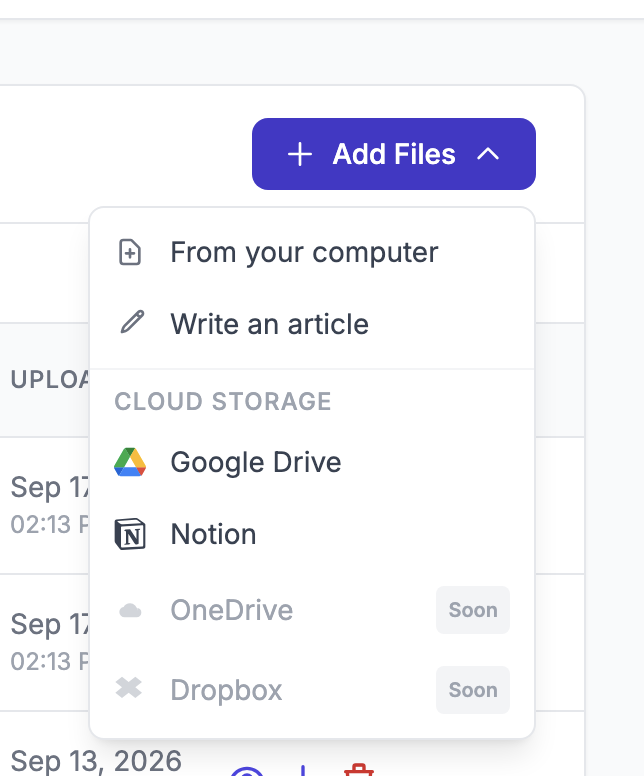
Google DriveSelect files directly, without downloading and uploading them again.
NotionBring selected pages, policies, and service information into the agent’s knowledge.
02 / Human support
Choose where the conversation should continue
Human Handoff moves the conversation from the AI Agent to a person. Choose the destination that fits how your team handles support.
Home care consultation
Ticket created by AskHandleHuman Handoff triggered
A person takes over
Your team works from HubSpot. Close the example ticket to see the return to AI.
With the support teamAutomatic return requires the configured HubSpot webhook.Tickets with a return to AI. Create a ticket in your existing support workflow. When the ticket closes, a configured webhook can let the AI Agent resume automatically.
Collect the details your team needs before handoff
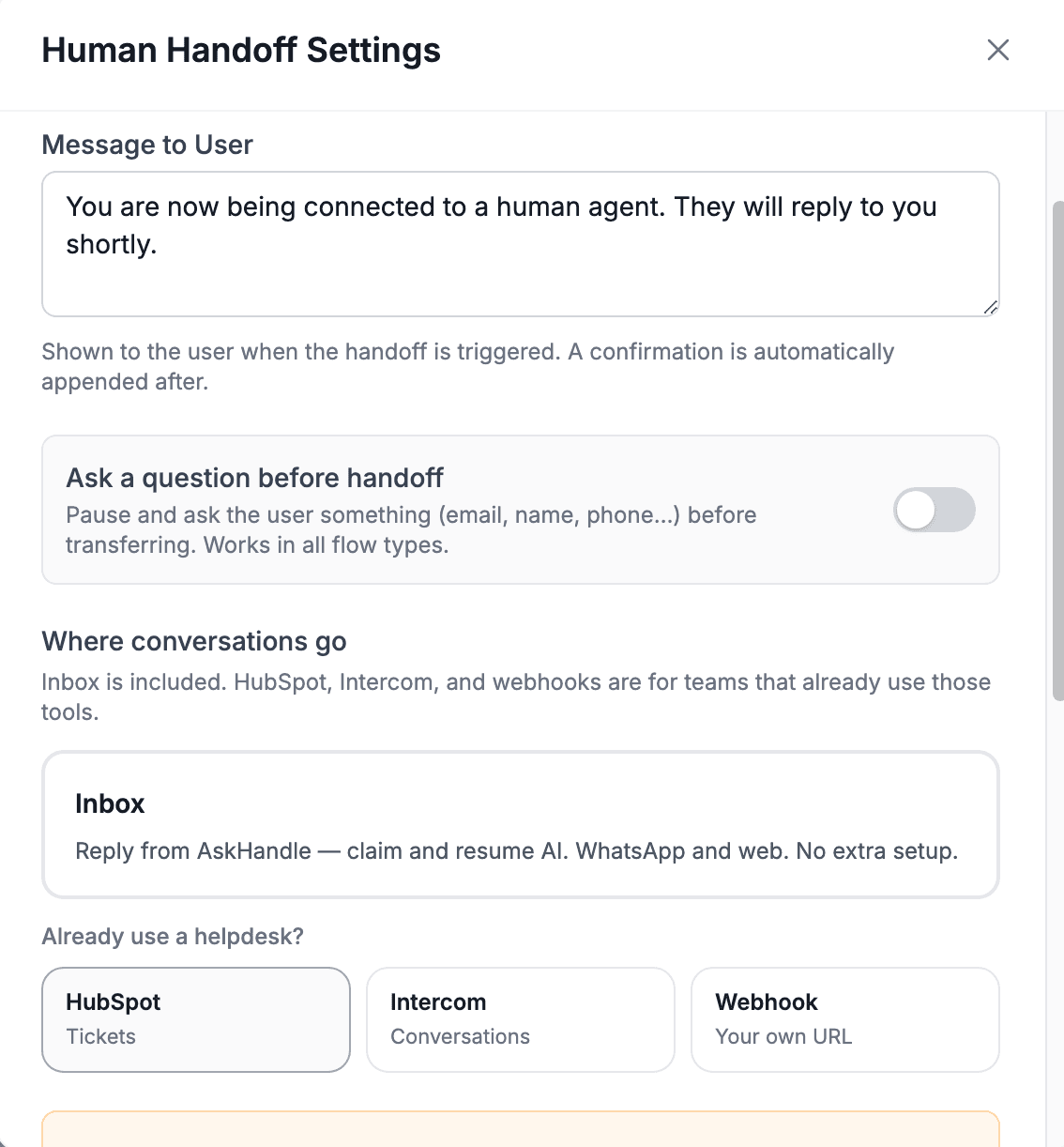
Human Handoff can ask a final question for a name, email, phone number, or another follow-up detail. Place Question nodes earlier for more structured prescreening. The customer’s transfer message can also be customized.
03 / Business data
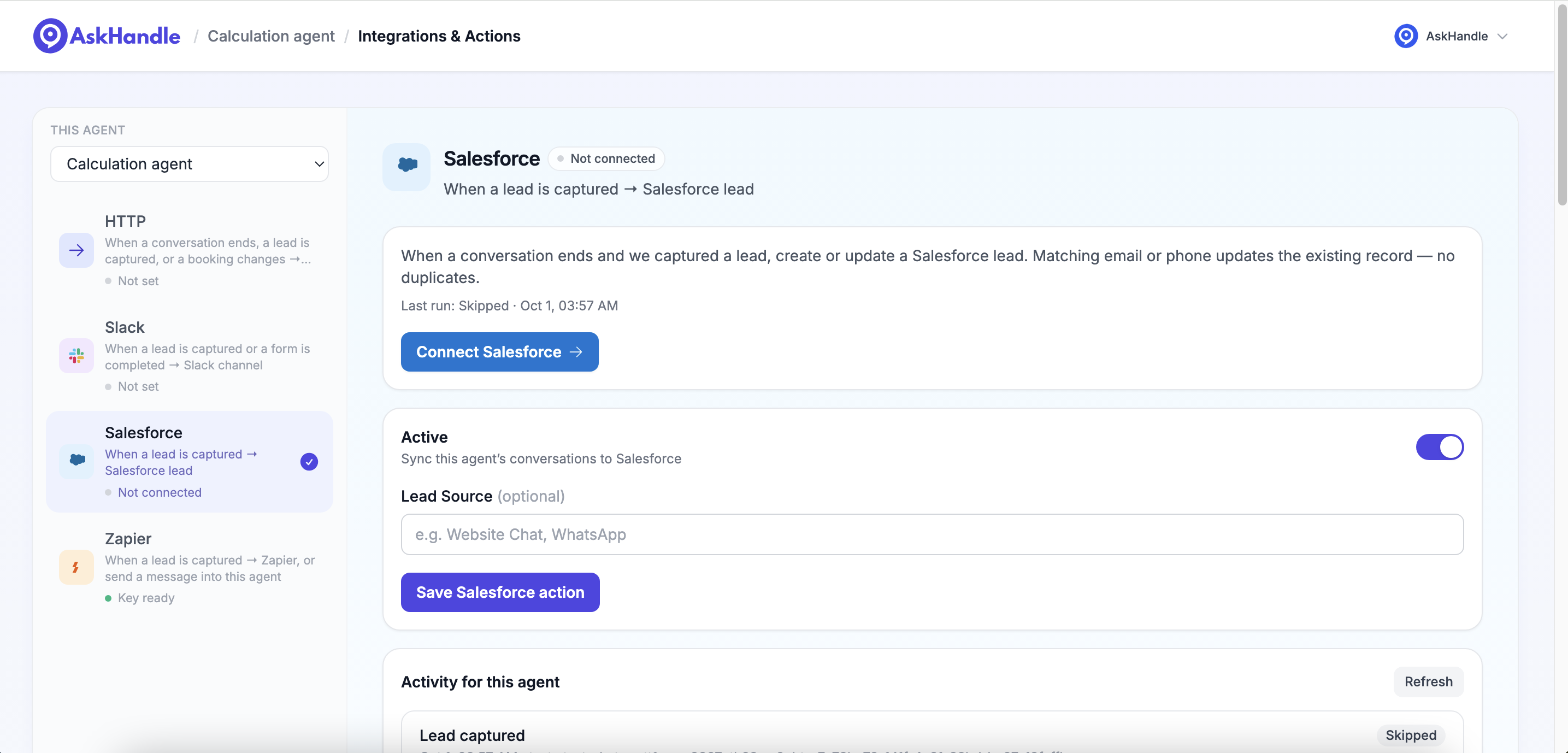
Keep captured leads connected to Salesforce
Create a lead from the conversation, or update an existing record when the email address or phone number matches.
Jane Doe
- jane@example.com
- Phone
- +1 212 555 0184
- Service requested
- Home care consultation
- Preferred contact time
- Afternoon
- Lead source
- Website chat
- Captured by
- AskHandle AI Agent
Slack / Team notifications
Important events, visible in Slack
Choose the events your team needs to see and the channel that receives them. Connect a workspace directly or use an existing Slack webhook.
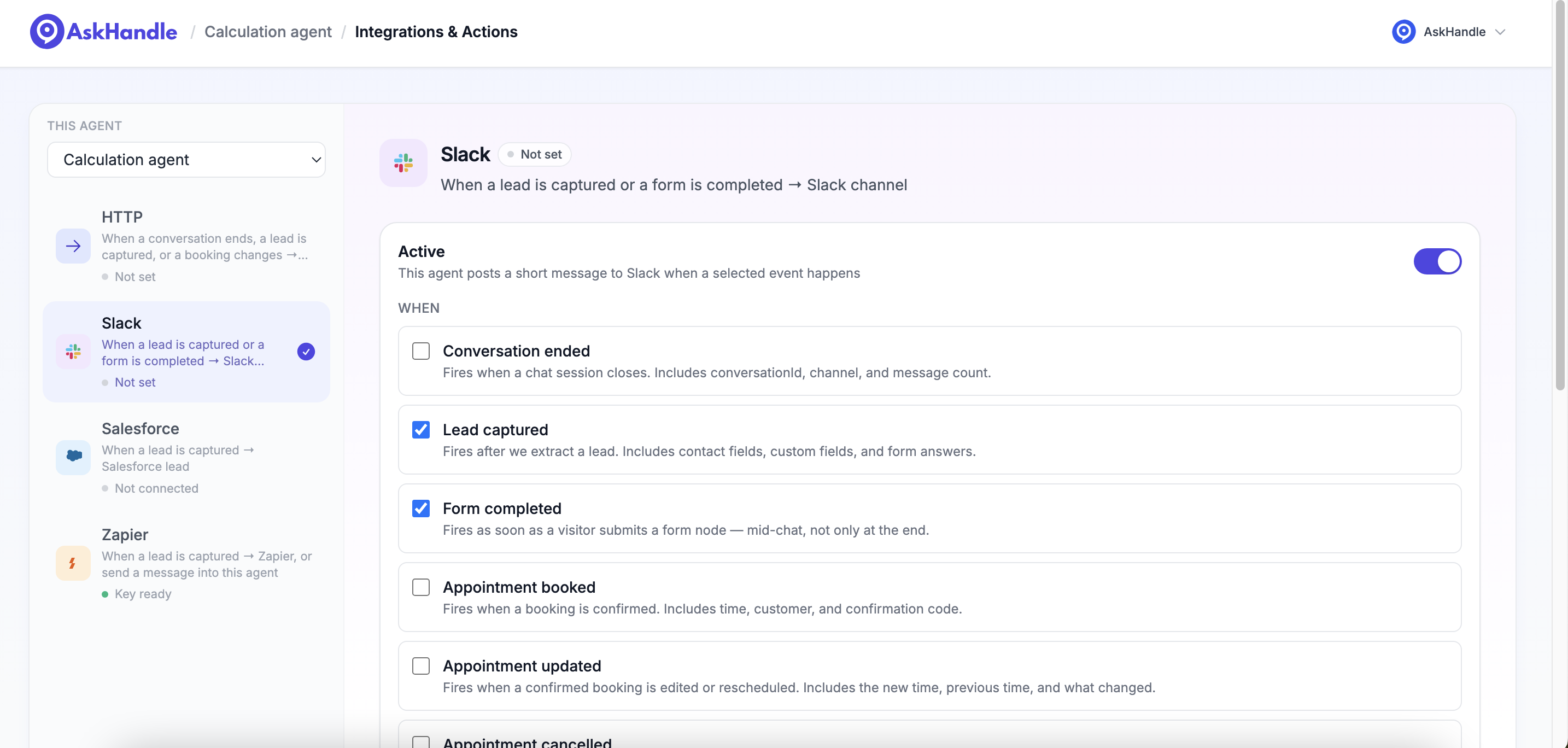
Give your team visibility without requiring a CRM record.
Zapier / Automations
Extend the workflow through Zapier
Trigger a Zap from a captured lead, or send a message into your AI Agent and use its reply in another step.
Captured lead information becomes the starting point for your Zap.
Connect using the agent’s API key. This is a broader automated workflow, not a way to write into an active customer conversation.
HTTP · Webhooks · API
Send events directly to your own endpoint
POST selected events as JSON to your own endpoint. Connect internal software, or use the AskHandle API for a custom implementation.
- Contact information
- Jane Doe
jane@example.com - Form answers
- Home care consultation
Preferred contact time: Afternoon
Conversation ended · Lead captured · Form completed · Appointment booked, updated, or cancelled
View API documentationA few more details
FAQ
Does connecting Google Drive or Notion give the AI Agent access to everything in the account?
No. The customer signs in and selects the content they want to add to AskHandle.
Can information be collected before a conversation is handed to a person?
Yes. Human Handoff can ask a question immediately before the transfer. Question nodes can also be placed earlier in the workflow when more structured prescreening is needed.
Does Human Handoff require HubSpot or Intercom?
No. Conversations can be handled through AskHandle Inbox, HubSpot, Intercom, or a custom webhook workflow.
What happens when AskHandle sends a lead to Salesforce?
AskHandle can create a new lead or update an existing record when the email address or phone number matches.
Which events can be sent to Slack or a custom HTTP endpoint?
Depending on the connection, events can include conversation completion, lead capture, form submission, appointment booking, appointment updates, and appointment cancellations.
Is Zapier only used for sending data out of AskHandle?
No. Zapier can trigger workflows from AskHandle data, and it can also send a message into an AskHandle AI Agent and receive a response.
Can we build an integration that is not listed here?
Yes. HTTP actions, webhooks, and the AskHandle API provide options for custom integrations and internal systems.
Connect AskHandle to your workflow
Start with the systems your team already uses.