AskHandle Blog
Creating a Christmas Tree with Python: A Holiday Coding Project
Creating a Christmas Tree with Python: A Holiday Coding Project
Looking for a festive way to level up your programming skills this holiday season? Learning how to create a Christmas tree in Python is a classic, beginner-friendly project that perfectly illustrates the power of loops and string manipulation.
Whether you are a student looking for a fun coding exercise or a hobbyist wanting to add some holiday cheer to your terminal, this step-by-step tutorial will guide you through writing a simple yet elegant Python script to generate a digital Christmas tree.
The Concept: Understanding the Logic
Before writing the code, it is helpful to visualize how a console-based tree is constructed.
A text tree is essentially a pyramid shape made of characters (usually asterisks). To make it look like a tree rather than a simple right-angled triangle, each row needs to be centered.
Consider a small tree of height 5.
- Row 1: 1 star
- Row 2: 3 stars
- Row 3: 5 stars
- Row 4: 7 stars
- Row 5: 9 stars
Notice the pattern: Row number n contains (2 * n) - 1 stars.
Crucially, to center the tree, we need to know the maximum width of the tree at its base. We then pad the narrower top rows with leading spaces so that the middle star aligns vertically.
Step 1: Building the Body of the Tree
We will use a for loop to iterate through the desired height of the tree. Python’s string methods make the centering process very straightforward.
The .center(width) string method takes a string and centers it within a field of a specified width, padding it with spaces on both sides.
Here is the code to construct the leafy part of the tree:
1def build_tree_body(height):
2    """
3    Prints the triangular body of the Christmas tree.
4    """
5    # Calculate the maximum width of the tree at the bottom row
6    # The bottom row 'h' has (2 * h - 1) stars.
7    max_width = (2 * height) - 1
8
9    print("Here is your tree:\n")
10
11    # Loop from row 1 up to and including the height
12    for i in range(1, height + 1):
13        # Calculate number of stars for current row
14        num_stars = (2 * i) - 1
15
16        # Create the star string
17        star_string = "*" * num_stars
18
19        # Center the string based on the maximum width and print
20        print(star_string.center(max_width))
21
22# Define tree height
23tree_height = 10
24build_tree_body(tree_height)
Running this code will produce a perfectly centered triangle of asterisks.
Step 2: Adding the Trunk
A tree is incomplete without a trunk. The trunk is simply a small rectangle at the base. To ensure it looks correct, it must also be centered using the same max_width value calculated for the body of the tree.
We can add a simple loop after the main body loop to draw the trunk. We usually make the trunk about 3 characters wide and a few rows high, depending on the total height of the tree.
The Complete Program
Let us combine these steps into a single, executable script. We will refine the function to handle both the body and the trunk, making the dimensions adaptable based on the overall height.
1def create_christmas_tree(height):
2    """
3    Generates and prints a centered Christmas tree with a trunk
4    in the console.
5
6    Args:
7        height (int): The desired number of rows for the tree foliage.
8    """
9    # Ensure minimum height for aesthetics
10    if height < 3:
11        height = 3
12
13    # Calculate maximum width at the base of the foliage
14    max_width = (2 * height) - 1
15
16    # --- Build foliage ---
17    for i in range(1, height + 1):
18        num_stars = (2 * i) - 1
19        print(("*" * num_stars).center(max_width))
20
21    # --- Build trunk ---
22    # Trunk height is proportional to tree height, generally 1/5th
23    trunk_height = max(2, height // 5)
24    # Trunk width is typically 3 characters for stability aesthetic
25    trunk_width = 3
26
27    trunk_string = "|" * trunk_width
28
29    for _ in range(trunk_height):
30        print(trunk_string.center(max_width))
31
32    print("\nHappy Holidays!")
33
34# --- Main execution ---
35if __name__ == "__main__":
36    # You can change this value to make the tree taller or shorter
37    desired_height = 15
38    create_christmas_tree(desired_height)
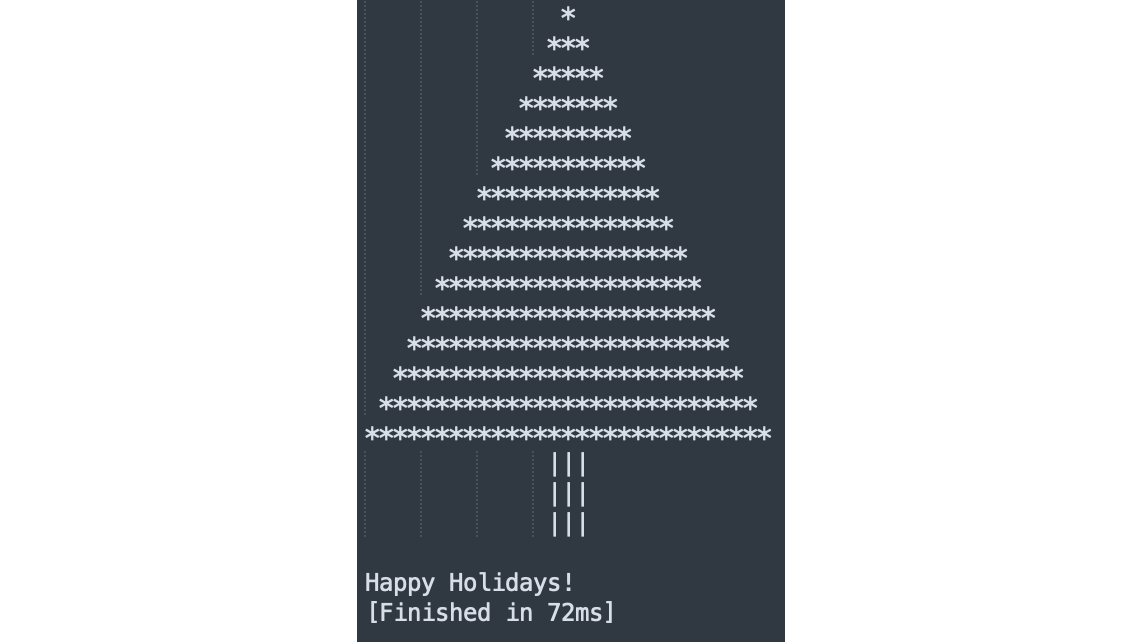
Viewing the Result
When you run the code above in your terminal, Python calculates the necessary spacing for every row to ensure perfect symmetry.
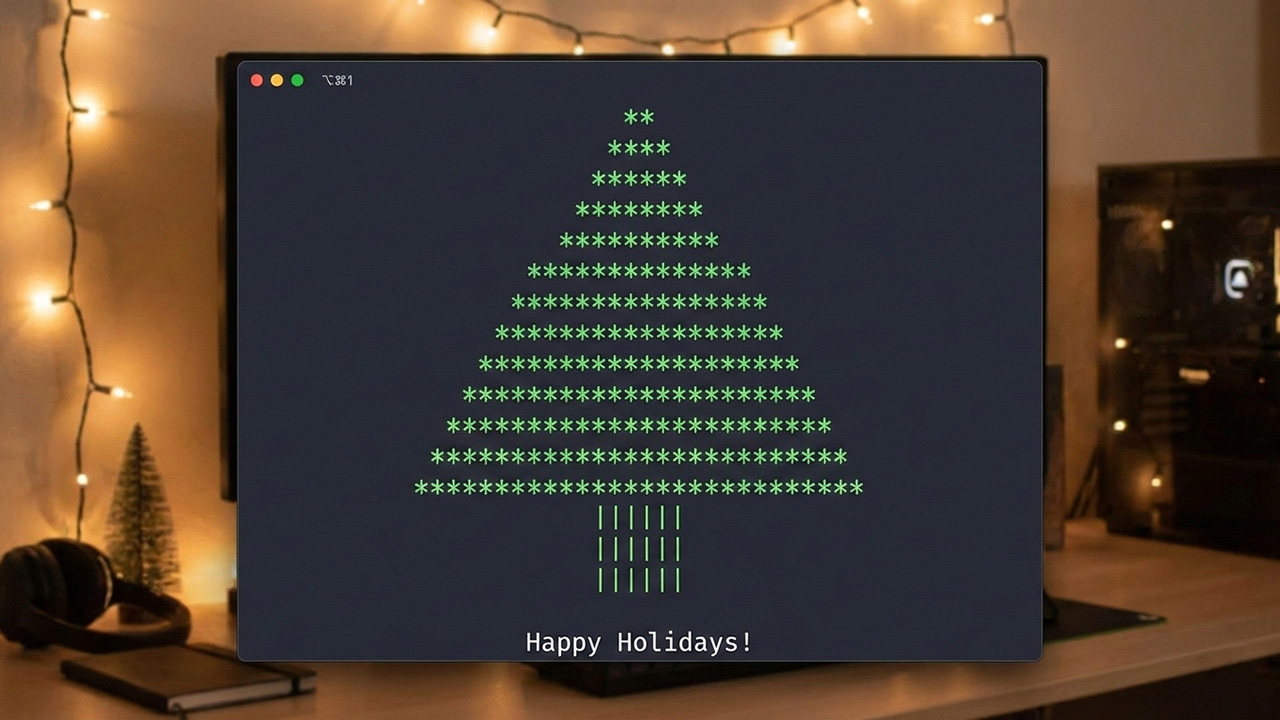
The image below demonstrates the output of the program with the height set to 15.