
AskHandle Blog
What's Inside a Data Center?
- Data Center
- Server
- Cooling
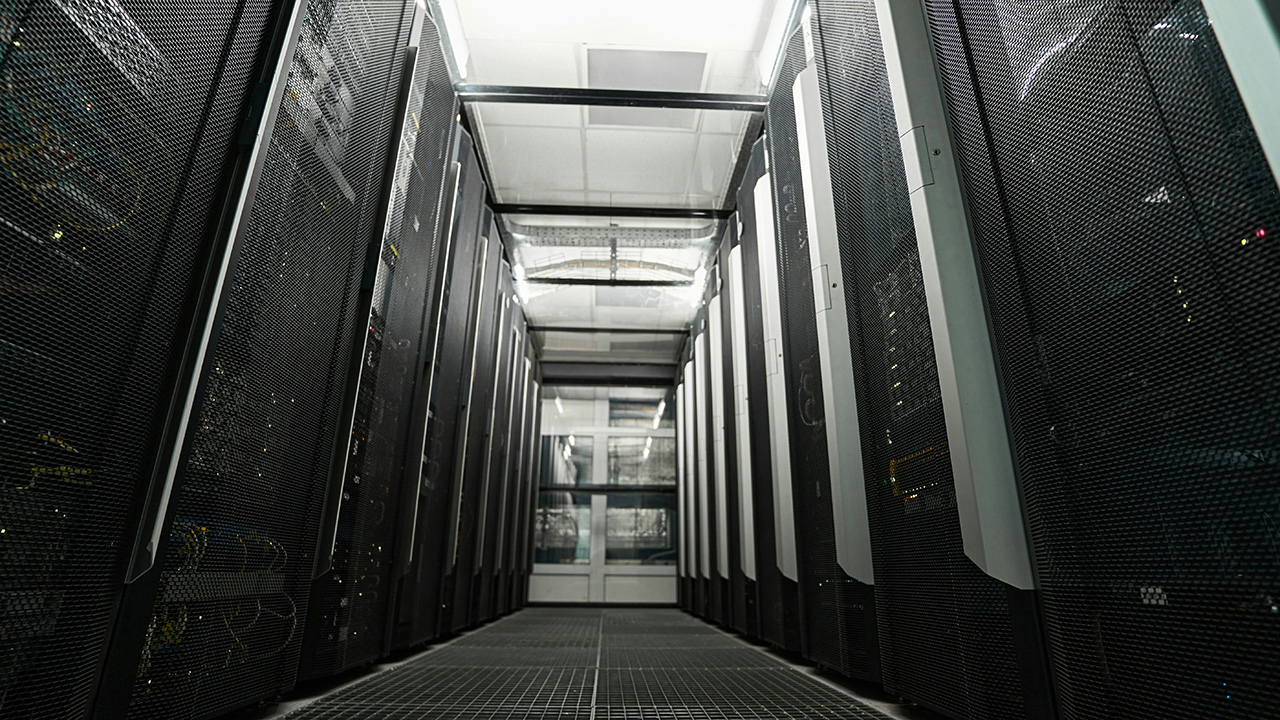
What's Inside a Data Center?
A data center is one of those places most people rely on every day without ever seeing. It’s not a single machine, and it’s not just “a server room.” It’s a carefully engineered facility built to keep computing running continuously, safely, and predictably.
Below is a guided tour of what you’ll typically find inside a modern data center, from the physical layout to the supporting systems that keep everything alive.
The building and its layout
Most data centers are designed around separation: separating people from equipment, separating hot air from cool air, and separating critical systems so that a single failure doesn’t spread.
Common areas include:
- Loading and staging zones: Where new equipment arrives, is unpacked, inspected, and prepared before installation.
- Secure entry points: Badge readers, mantraps (two-door vestibules), and sign-in procedures to control who goes where.
- White space: The main equipment floor where racks of IT hardware live.
- Power rooms: Dedicated areas for switchgear, UPS systems, and power distribution.
- Mechanical rooms: Where cooling equipment, pumps, and air handlers operate.
- Operations spaces: Network operations centers (NOC) and work areas for technicians.
The physical arrangement is meant to reduce risk and speed up maintenance. Short cable runs, clear aisle labeling, and consistent rack layouts are not “nice to have”—they’re a large part of keeping outages rare and repairs quick.
Server racks: the “shelves” of computing
The most noticeable objects in a data center are rows of racks. A rack is a standardized metal frame (commonly 19-inch) that holds equipment stacked vertically.
Inside racks you may find:
- Rack servers: Thin, rectangular servers (often 1U or 2U tall) designed for dense deployment.
- Blade chassis: Enclosures that hold multiple server blades with shared power and networking.
- Storage shelves: Disk-heavy units packed with HDDs or SSDs.
- Top-of-rack switches: Network switches mounted high in the rack to connect nearby servers.
- Patch panels and cable managers: Hardware that keeps cabling organized and serviceable.
Racks are labeled and mapped so staff can identify gear quickly. Many facilities also track rack power draw, temperature, and port usage continuously.
Servers: the workers doing the compute
Servers are purpose-built computers meant to run continuously under load. They’re optimized for:
- Remote management (out-of-band controllers so admins can reboot or troubleshoot without being physically present)
- Redundant fans and power supplies
- High-density CPUs and memory
- Hot-swappable components in many models
A single row of racks can host thousands of CPU cores. That compute runs many types of workloads: websites, databases, internal business apps, analytics jobs, message queues, and virtual desktops.
Storage systems: where data sits (and survives)
Storage in data centers is rarely “one box.” It’s usually a mix chosen for performance, cost, and recovery needs.
Common storage types include:
- Direct-attached storage (DAS): Disks attached directly to a server. Simple and fast for certain uses.
- Network-attached storage (NAS): File-based storage accessed over the network (great for shared files and certain applications).
- Storage area networks (SAN): Block storage presented over specialized networking. Often used for large databases and virtualization platforms.
- Object storage clusters: Built for massive scale, often used for backups, archives, and media.
Redundancy is built in through RAID levels, erasure coding, replication between systems, and snapshots. Storage is also frequently tiered: fast SSD for hot data, larger HDD pools for warm or cold data.
Networking gear: the traffic system
If servers are the workers and storage is the warehouse, the network is the road system. Data centers depend on multiple layers of networking equipment:
- Switches: Connect devices within racks and across rows.
- Routers: Direct traffic between different networks and upstream providers.
- Firewalls: Enforce security policies and segmentation rules.
- Load balancers: Distribute traffic across groups of servers to prevent overload and improve availability.
Cabling can include fiber optics for high bandwidth and distance, and copper for shorter runs. Good cable management is a major operational concern—messy cabling slows repairs and increases the odds of accidental disconnects.
Network design often uses redundancy such as dual switches, multiple uplinks, and diverse paths so a single cable cut or switch failure doesn’t take services down.
Power systems: electricity with backups on backups
Power is one of the biggest engineering focuses in any data center. The facility must deliver clean, stable electricity and keep delivering it when something goes wrong.
Typical components include:
- Utility feeds: Power from the local grid, sometimes more than one feed.
- Switchgear and transformers: Step voltage up or down, isolate faults, and route power.
- UPS (Uninterruptible Power Supply): Battery systems that bridge gaps during outages or generator startup. UPS systems also smooth power quality issues like sags and spikes.
- Generators: Usually diesel, sized to carry the full facility load (or critical load) for extended periods.
- Power Distribution Units (PDUs): Distribute power to rows and racks. Some are “smart PDUs” with monitoring and remote control.
Inside each rack, servers often plug into two independent power feeds (A and B). If one feed fails, the other continues supplying power. This dual-cord approach is one of the simplest, most effective resiliency features.
Cooling: controlling heat and airflow
All that computing turns electricity into heat. If heat isn’t removed, equipment throttles performance or fails.
Cooling strategies vary, but common building blocks include:
- CRAC/CRAH units: Computer Room Air Conditioner/Handler units that supply cool air and return warm air.
- Chillers and cooling towers: Used in many large facilities to move heat outside.
- In-row cooling: Cooling units placed close to racks for targeted heat removal.
- Hot aisle / cold aisle layouts: Racks are arranged so server intakes face cold aisles and exhausts face hot aisles.
- Containment systems: Physical barriers (doors, roofs, curtains) that keep hot and cold air from mixing.
Temperature and humidity are monitored constantly. Airflow management details—blanking panels, floor grommets, sealed cable cutouts—make a big difference in cooling efficiency.
Safety and physical security
Data centers often hold valuable systems and sensitive data, so physical controls are strict.
You may see:
- Cameras and continuous logging
- Multi-factor access controls
- Locked cages or cabinets for customer equipment
- Visitor escort rules
- Asset tracking for hardware moving in or out
Safety also includes fire detection and suppression. Many facilities use early smoke detection and suppression systems designed to protect equipment while still putting out a fire quickly.
Monitoring and operations: the quiet layer that matters most
A data center isn’t “set and forget.” Operations teams watch the facility and IT systems around the clock.
Common monitoring includes:
- Rack temperature and humidity
- Power draw by rack and by circuit
- UPS battery health
- Generator status and fuel levels
- Network latency and packet loss
- Disk health, error rates, and storage capacity
- Alerts tied to runbooks and escalation paths
Maintenance is scheduled carefully: battery testing, generator load tests, filter changes, firmware updates, and periodic inspections. Many outages are prevented by disciplined routines, not fancy hardware.
Inside a data center you’ll find much more than servers: storage platforms, dense networking, layered power protection, industrial cooling, security controls, and constant monitoring. The goal is simple to state and hard to execute—keep systems running continuously, even when components fail, conditions change, or demand spikes.